


- One-handed menu navigation
- Automatically subtracts the 50.8 µm (2 mil) incompressible substrate from all readings
- Solvent, acid, oil, water and dust resistant – weatherproof
- Shock-absorbing, protective rubber holster with belt clip
- Certificate of Calibration (Long Form) showing traceability to NIST included
- Conforms to national and international standards including ISO and ASTM
- PosiTector body accepts all PosiTector RTR, SPG, 6000, 200, DPM, and UTG probes easily converting from a coating thickness gage to a dew point meter, surface profile gage or wall thickness gage
- High contrast backlit display for bright or dark environments
- Uses alkaline or rechargeable batteries (built-in charger)
- USB port for fast, simple connection to a PC and to supply continuous power. USB cable included
- Screen Capture – record and save image into USB flash memory for record keeping and review
- Software updates via web keep your gage current
- RESET feature instantly restores factory settings
- Minimizes inspector workload by reducing the number of replicas needed to ensure accuracy
- Rugged indoor/outdoor instrument – ideal for field or shop use
- Measures height (H) and linearized height (HL)
- Check Shim provided to verify accuracy
- Mils/Microns switchable
- Display Languages: English, French, German, Spanish, Japanese, Chinese, Korean, Dutch, Portuguese, Italian, Norwegian, Russian, Czech, Polish and Turkish.
- Flip display enables right-side-up viewing
- Continually displays/updates average, standard deviation, min/max height and number of readings
- PosiSoft solutions for viewing, analyzing & reporting data
- Every stored measurement is date and time stamped
- Two (2) year warranty on body AND probe
| Feature | PT-RTR-H1 | PT-RTR-H3 |
|---|---|---|
 |
 |
|
| Included PosiTector body | Standard | Advanced |
| Included PosiTector probe | PRBRTRH | |
| PosiTector body accepts all PosiTector RTR, SPG, 6000, 200, DPM, and UTG probes easily converting from a coating thickness gage to a dew point meter, surface profile gage or wall thickness gage |  |
|
| High Contrast LCD Display | Color | Color |
| Measures height (H) – comparable to a conventional analog spring micrometer | |
|
| Measures linearized height (HL) | |
|
| Statistics – Instantly calculate average, standard deviation, min/max thickness and number of readings while measuring | |
|
| Batch Annotation – Create meaningful batch names and enter notes directly on the instrument using a familiar on-screen QWERTY keyboard | – | |
| Reading Storage Capacity | 250 in one group | 100,000 in up to 1000 groups |
| Store thickness, profile, environmental and wall thickness measurements in individual batches | – | |
| USB port for fast, simple connection to a PC and to supply continuous power. USB cable included | |
|
| PosiSoft 3.0 – desktop software (PC/Mac) for downloading, viewing, printing and storing measurement data from PosiTector gauges. No internet connection required. | |
|
| PosiSoft USB Drive – stored readings and graphs can be accessed using universal PC/ Mac web browsers or file explorers. No software required | |
|
| PosiSoft.net – a free web-based application offering secure storage of thickness readings | |
|
| WiFi technology wirelessly synchronizes with PosiSoft.net, downloads software updates, and connects to mobile devices for expanded functionality | – | |
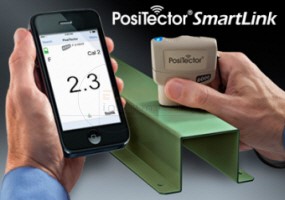
| PosiSoft Mobile – gage-based software application allows access to readings, graphs, capture photos and update notations through WiFi enabled devices such as tablets, smart phones and computers | – | |
| Bluetooth Wireless Technology for data transfer to a PC or optional portable printer | – | |
| Real Time Graphing, Picture Prompting, & Batch Notes | – | |
How it Works
Prepare the test surface
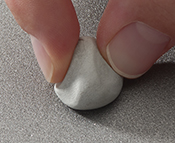 Locate a representative site for measurement. Clean the surface to be tested.
We recommend the use of cleaning putty to remove dust, debris, or residual blast media from the surface.
Firmly press the putty onto the surface using your fingers, and remove.
Burnish the replica tape (create a replica)
Select the appropriate grade of replica tape based on the target profile (Coarse or X-Coarse). See tape instructions for assistance.
Pull a single adhesive-backed replica tape free of its release paper. A “bull’s eye” circle of paper should remain on the release paper (it is not used for measurement).
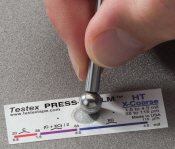
Firmly compress replica film using the rounded end of the included stainless steel burnishing tool. Apply sufficient pressure in a circular and x-y rubbing motion to produce a replica with a uniform pebble grain appearance. It normally takes 30 to 60 seconds to fully compress all parts of the film on most surfaces. In general, too much compression is safer than too little.
After burnishing is complete, remove the replica tape from the surface.
Prepare the PT-RTR
Clean the measurement surfaces (anvils) using the included cleaning card. Swipe the card through the opening a few times while firmly pressing both probe buttons to remove dust particles and residual tape adhesive.
Power-up the PosiTector RTR by pressing the center navigation button. An image appears indicating that the probe requires zeroing.
Simultaneously press and hold both probe buttons firmly until the Gage beeps and the arrows point outward. Do not place anything in the measurement opening during this procedure.
Measure the included check shim to verify accuracy.
Ensure the correct grade of replica tape, C or XC, is displayed in the upper left corner of the LCD.
Prepare the PT-RTR
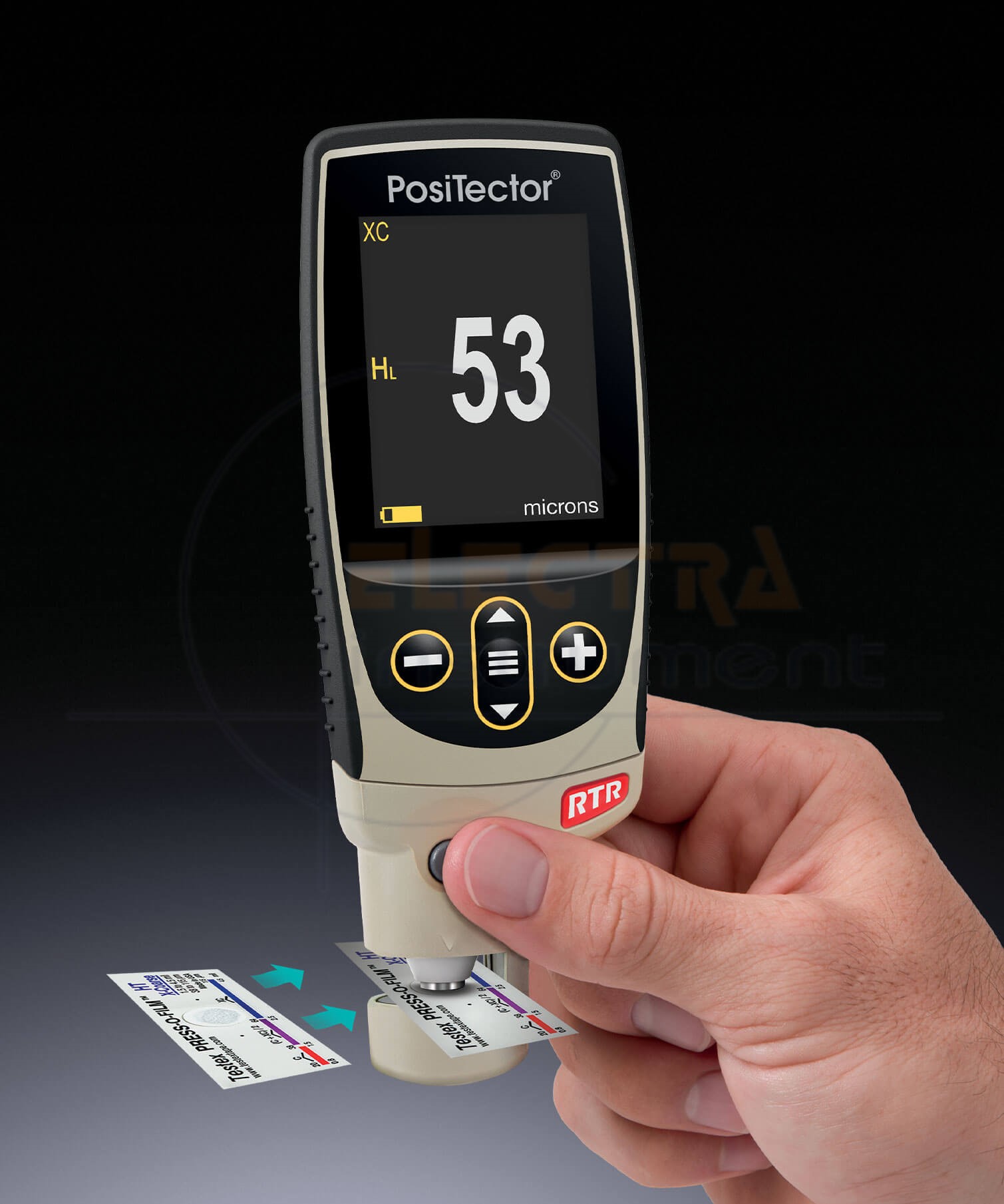
Insert the burnished replica tape into the measurement opening. Ensure the tape is properly positioned so that the burnished region is centered within the opening in the probe with the adhesive (sticky) side down.
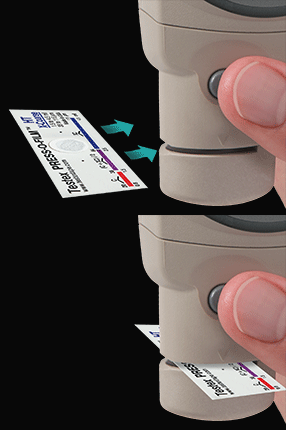
To position the tape, move the Testex™ Press-O-Film™ replica tape to the back of the probe and align the two dots (printed on replica tape) with arrows on both sides of the measurement opening.

If you are using older Testex™ Press-O-Film™ replica tape that does not have the printed dots, simply align by centering the tape within the measurement opening.
Once positioned, firmly press both probe buttons simultaneously and hold until the PosiTector RTR beeps and the measurement is displayed. During measurement, a constant anvil pressure is applied to the replica tape regardless of how hard the two buttons are pressed.
The PosiTector RTR automatically subtracts the 50.8 µm (2 mil) of incompressible polyester film. No further adjustments are required.
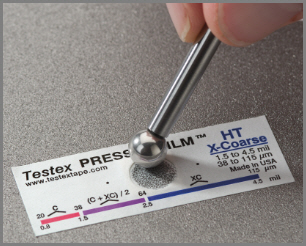
Replica Tape provides a simple way to obtain an impression of a surface for analysis. It consists of a layer of crushable plastic micro foam affixed to a 50.8 µm (2 mil) incompressible polyester film. When compressed against a roughened surface, the foam collapses and acquires an impression, or reverse replica, of the surface. It is available in a number of grades to accommodate measurements in different profile ranges.
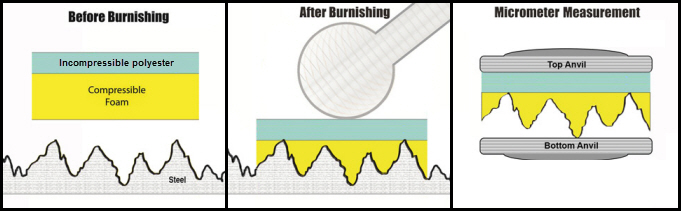
Placing the compressed tape (replica) into the PT-RTR gives a measure of the average maximum peak-to-valley height of the surface roughness profile.
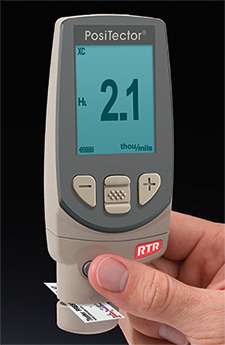
The gage automatically subtracts the thickness of the polyester substrate from all measurements.
Complete Kit
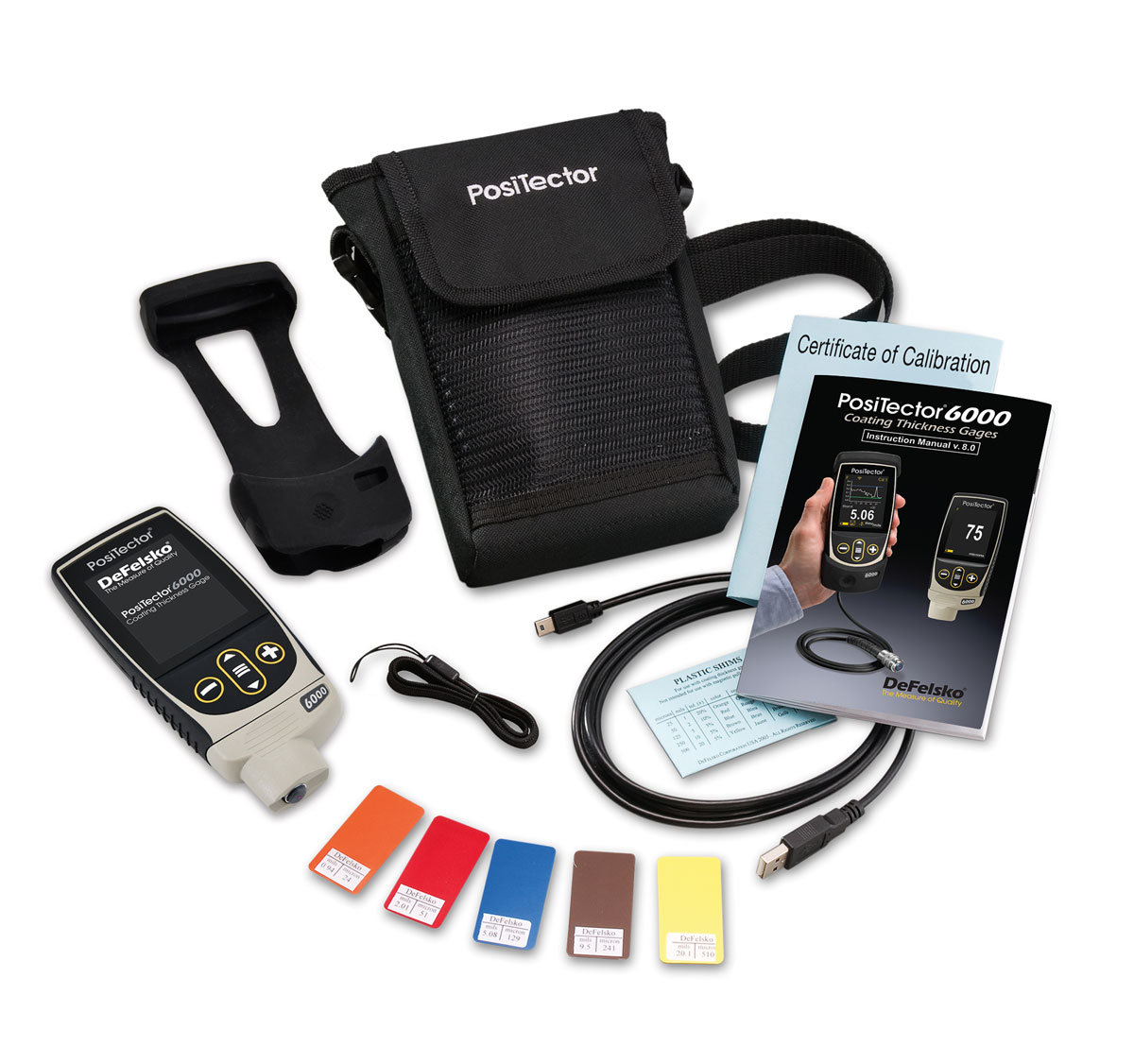
| Measurement Range | 20 to 115 µm (0.8 to 4.5 mils) |
| Accuracy (H) | ± 5 µm (± 0.2 mils) |
| Resolution | ± 1 µm (± 0.2 mils) |
| Anvil Diameter | ⌀6.3 mm (⌀0.25 inch) |
| Anvil Pressure | 110 grams-force (1.1 Newtons) |
| Dimensions | 152 mm x 61 mm x 28 mm (6″ x 2.4″ x 1.1″) |
| Weight | 140 g (4.9 oz.) without batteries |


Reviews
There are no reviews yet.